How to Move Your Electronic Parts into Cofactr
Last updated: May 13, 2026
Shipping parts to Cofactr to enter into your Cofactr inventory
Cofactr's Shipping Address (CA and NY)
Cofactr
ATTN: Receiving Department
4007 Paramount Blvd
Unit 107/108
Lakewood, CA, 90712 US
Cofactr
630 Flushing Ave
Floor 5
Brooklyn, NY, 11206 US
***If you are shipping via USPS address is below:***
Cofactr
ATTN: Receiving Department
4007 Paramount Blvd
Box 08/09
Lakewood, CA, 90712 US
Phone: 332-373-2227
Email: success@cofactr.com
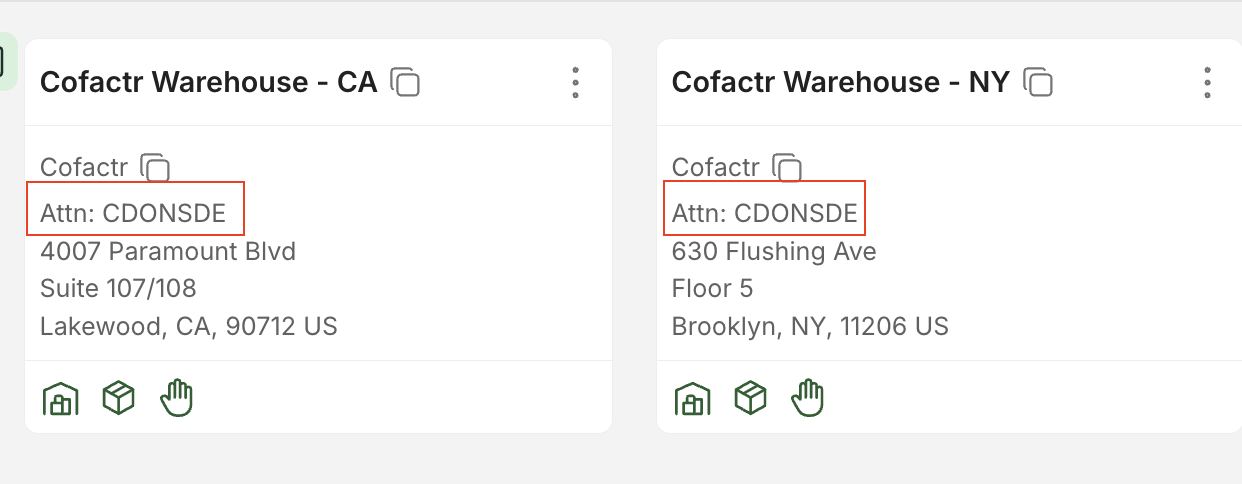
When sending parts to inventory for storage, please include our Cofactr orgs unique customer code, as this helps us further identify customer packages. Your unique customer code can be found under Addresses, by going to Kitting and Shipping > Addresses, and will have Attn: [code here] on both the CA and NY warehouse locations (screenshot below).
Providing Tracking Info to Cofactr
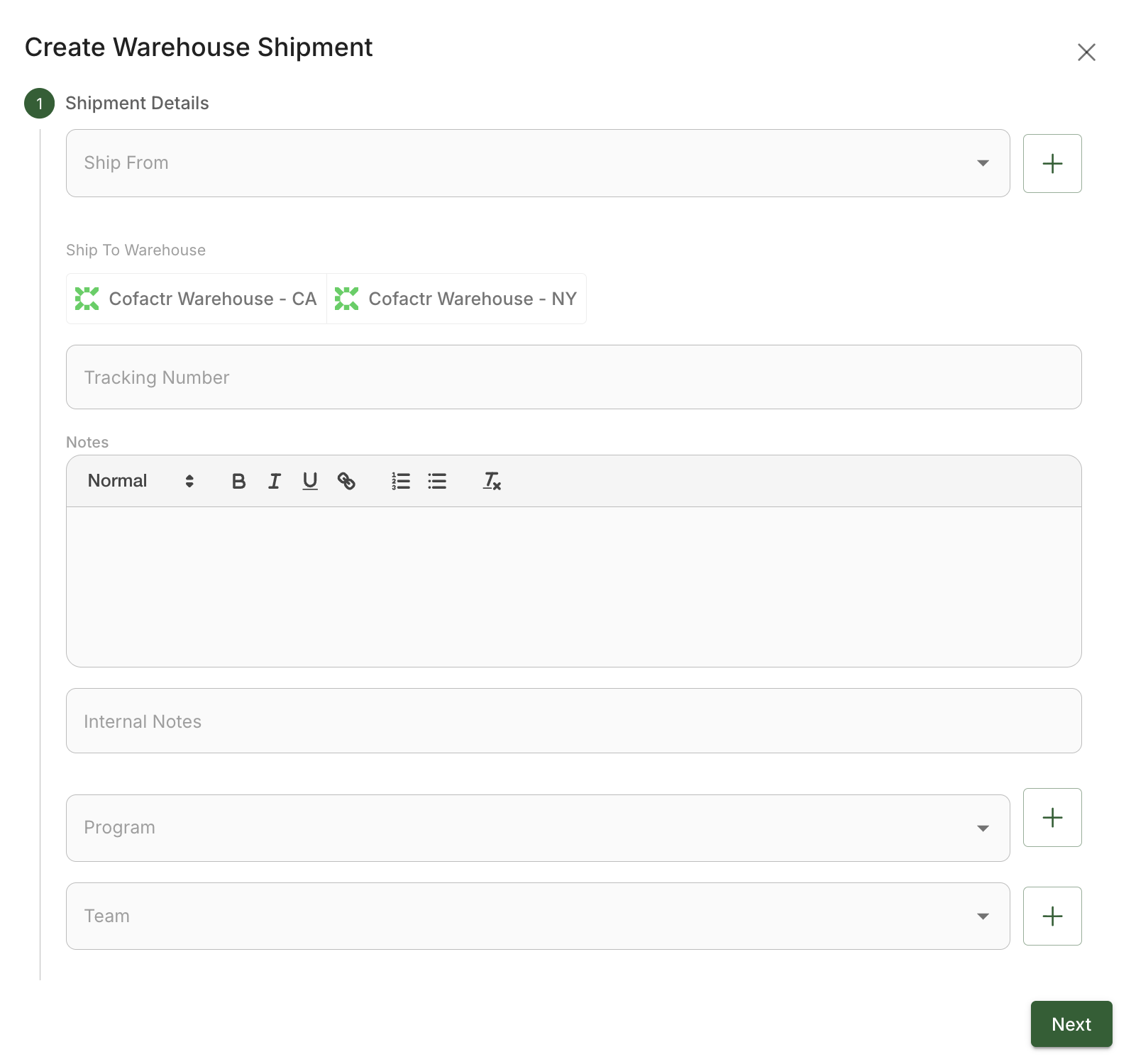
Select the Send to Warehouse button
Leave Ship From blank, or select your existing facility
Select Cofactr Warehouse (CA or NY) for Ship To
Optionally, enter any notes that you would like to be able to reference later. You can also select a Program so that these parts will be allocated to a specific program
Enter your tracking number
Click Next
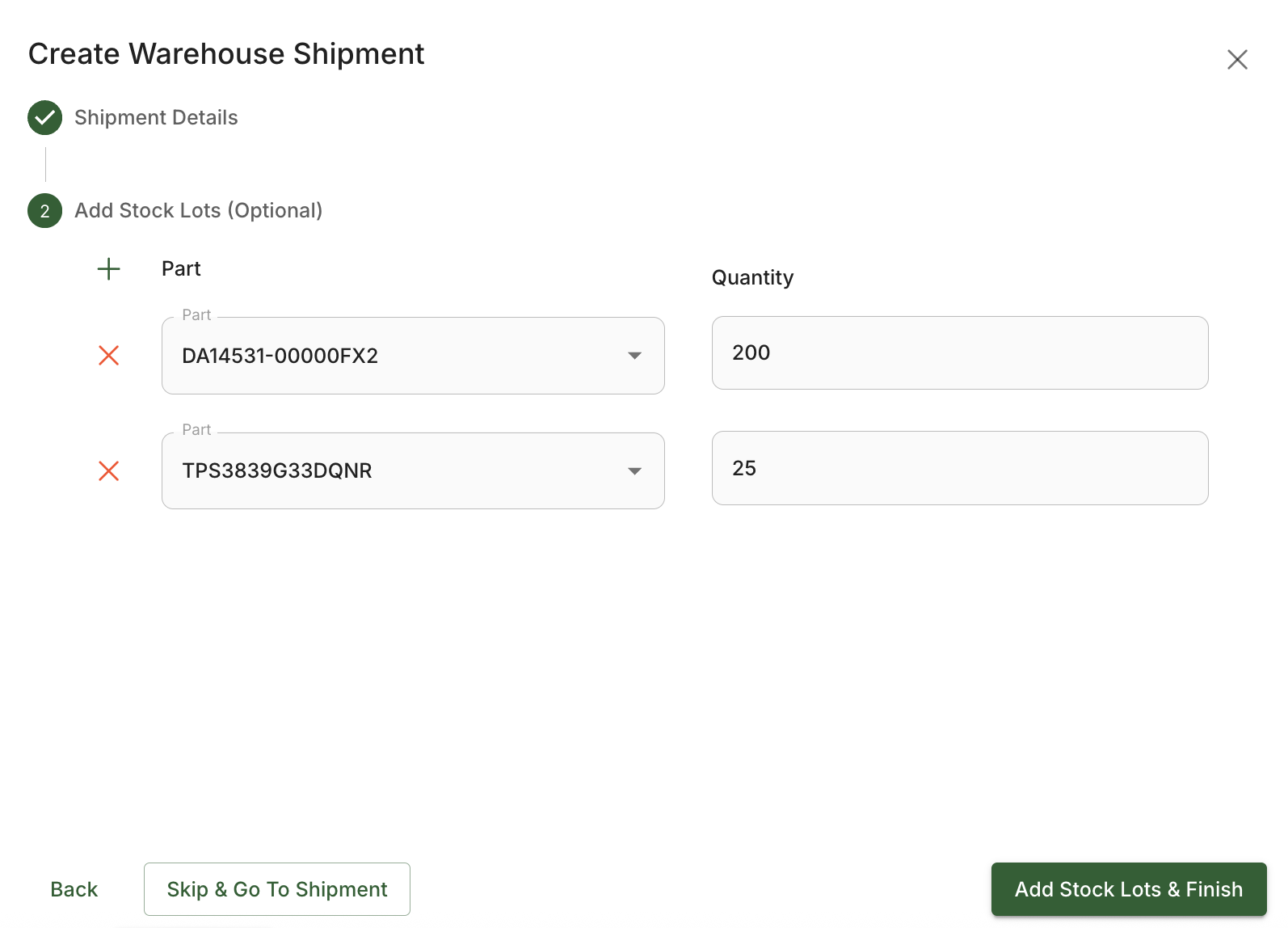
After clicking Next, you have the option to add your stock lots to Cofactr. We recommend that you do this since it adds clarity from the warehouse team on what to expect in your shipments.
Once parts have been added, click Add Stock Lots & Finish.
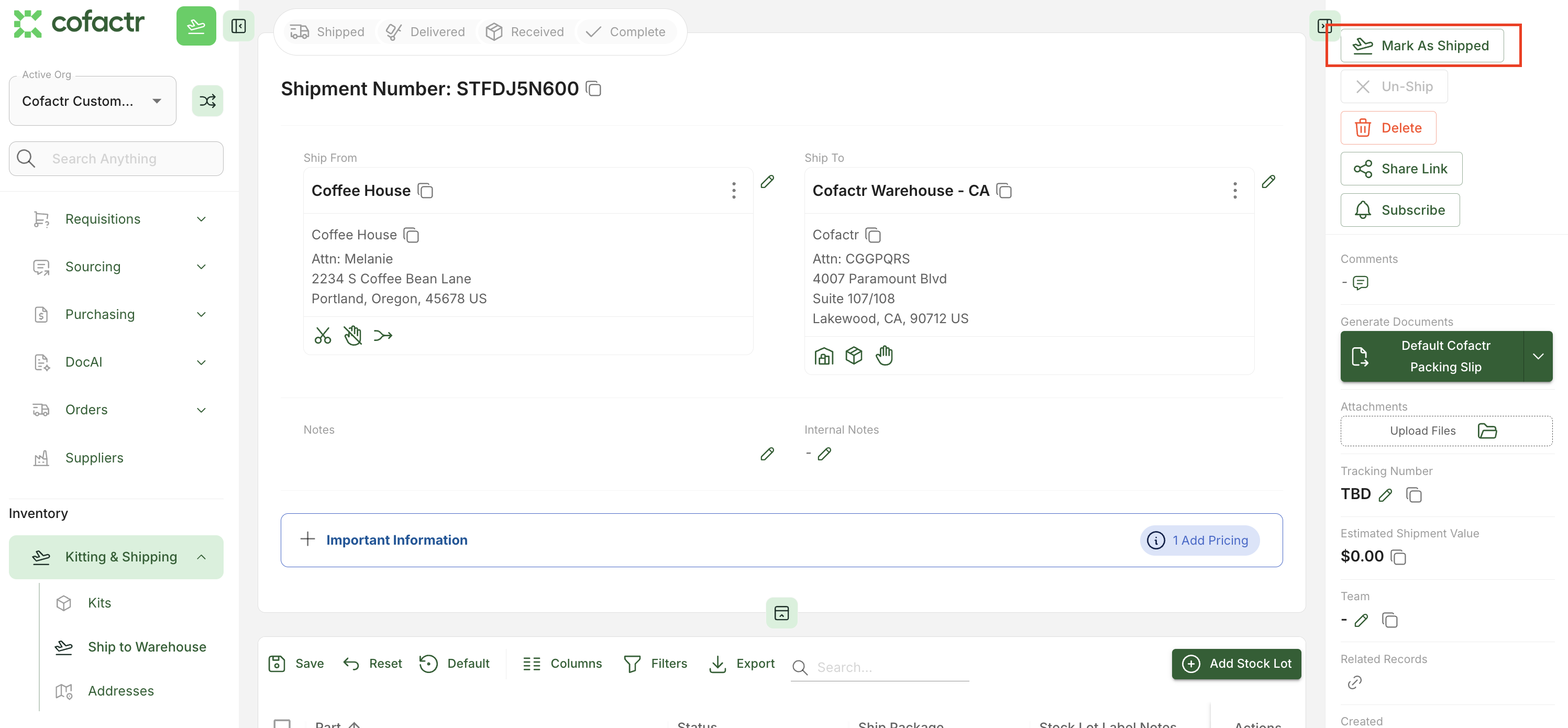
When you are done adding stock lots to your shipment, navigate back to the draft shipment and select Mark as Shipped.
It's really that simple!
If you need to edit your tracking number after you marked your shipment as shipped, simply click "Un-ship" in the top right of the shipment, edit the tracking number in the right hand column and click Save, and click "Mark as Shipped" again.
What Happens Next?
When the parts arrive at Cofactr, they will be ingested based on the labels, packing slip, and expected stock lots you create during the shipment creation process.
They will also be counted using an X-Ray component counter or other automated method. For typical shipments, this process will take up to one business day. For very large shipments, this might take an extra few days, depending on our facility's workload.
You can view all the parts received in that Shipment at any time within the Kitting & Shipping App in Cofactr.
Please reach out to success@cofactr.com if you have any questions!
Written by Matthew Haber