PNP vs Non-PNP Parts
Last updated: February 11, 2026
SMT components typically come in uniform packaging and form factors to ensure compatibility with pick & place machines, but some components aren't always usable. SMT components can be deemed "Non-PNP" if they are in very small quantities in cut tape, or the packaging is damaged. These parts usually need to be hand-placed.
Some CMs will accept these parts and hand place them, and some won't, so we provide a setting when you are configuring the facility to control whether No PNP SMT Parts can be automatically shipped to that location. You can edit this setting anytime through locations > edit.
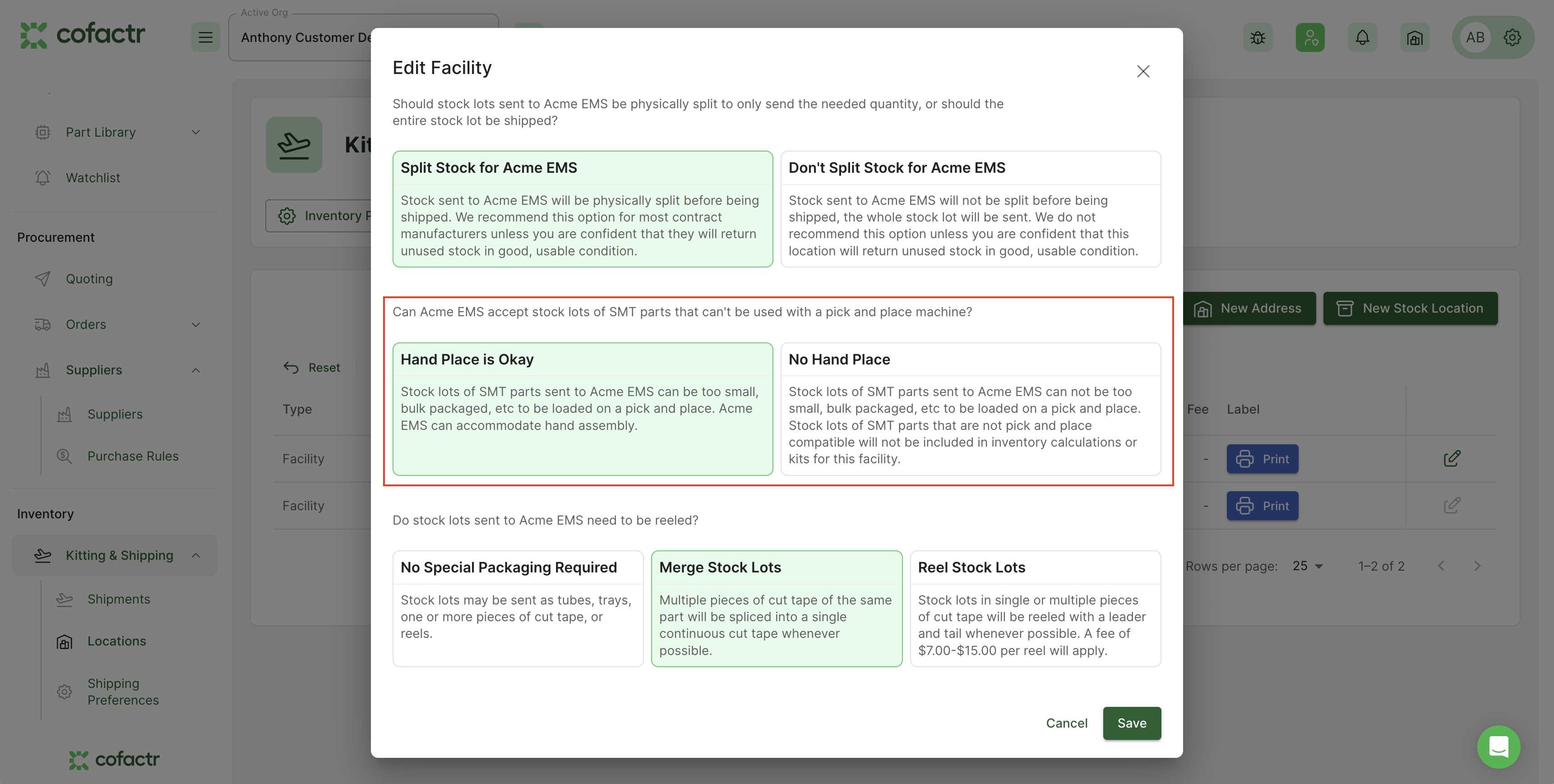
If you'd like to include these parts in this kit anyway, you can either:
Change the setting on the relevant facility to Hand Place is Okay, and then run the Recalculate Kit Line Allocations again.
Manually add these stock lots to the kit before approving it by navigating to the relevant part in the kit and clicking the +, then clicking + Add Stock Lot. From here, enter the stock lot, and the exact qty of the stock lot you want to use. Stock Lot IDs can be found under Stock Lots, and toggling on the column for Cofactr Lot IDs.
Written by Anthony Blair