Billing and Payments with Cofactr
Last updated: July 15, 2026
What will I be billed for, and when will I be billed?
Summary Chart
Cofactr Inventory Services Enabled | Cofactr Inventory Services Not Enabled (Default for New Customers) | |
Subscription Plans | Per your contract. Usually annually in advance | Per your contract. Usually annually in advance |
Inventory Services - Prepaid Storage Commitments | Per your contract. Usually annually in advance | NA |
Inventory Services - Storage | Monthly in arrears based on peak usage minus any prepaid storage commitments | NA |
Inventory Services - Receiving | Monthly in arrears | NA |
Inventory Services - Kitting & Reeling | Monthly in arrears | When the applicable kit ships from Cofactr |
Inventory Services - Shipping Charges (UPS, Fedex, etc) | Monthly in arrears | When the applicable kit ships from Cofactr |
Parts Orders - Ship & Kit | Weekly once the supplier ships the parts | When the applicable kit ships from Cofactr |
Parts Orders - Store at Cofactr | Weekly once the supplier ships the parts | NA |
Parts Orders - Dropship | Weekly once the supplier ships the parts | When the supplier ships the parts |
Details
Subscription Plans
Platform subscription plans will be billed at the start of your subscription and on each anniversary thereafter. If your contract specifies a different billing frequency, such as semi-annual, quarterly, or monthly, you will be billed according to that schedule.
Inventory Services - Prepaid Storage Commitments
Prepaid storage commitments will be billed at the start of your commitment contract period and on each anniversary thereafter. If your contract specifies a different billing frequency, such as semi-annual, quarterly, or monthly, you will be billed according to that schedule.
Inventory Services - Kitting & Storage
If Cofactr Inventory Services are enabled for your organization, receiving, kitting, and storage services will be billed at the end of every month.
If you have a Prepaid Storage Commitment, your monthly bill will only include storage usage beyond the prepaid commitment.
If Cofactr Inventory Services are not enabled for your organization, applicable kitting fees will be included in the individual invoices for each purchase that you make. See Kit & Ship Orders for more information.
Inventory Services - Shipping Charges
By default, we will pre-pay shipping carriers (FedEx, UPS, DHL) for any shipping charges you incur via the Cofactr platform. If Cofactr Inventory Services are enabled for your organization, those shipping costs will be included in your monthly Kitting & Storage Services invoice. If Cofactr Inventory Services are not enabled for your organization, applicable shipping fees will be included in the individual invoices for each purchase that you make. See Kit & Ship Orders for more information.
You also have the option to provide your own UPS, FedEx, and/or DHL account numbers within Organization Settings. If you provide your own account numbers we will use those and you will not be charged by Cofactr for shipping fees unless there is a chargeback or other fee passed back to us by the shipping carrier you select.
Kit & Ship Orders
If Cofactr Inventory Services are enabled for your organization, kitting and shipping fees associated with Kit & Ship orders will be included in your normal monthly Kitting & Storage Services invoice. Parts purchases will be invoiced when the supplier ships the parts to Cofactr.
If Cofactr Inventory Services are not enabled for your organization, kitting and shipping fees associated with Kit & Ship orders will be included in the individual invoices for each purchase that you make. Parts purchases will be invoiced when Cofactr ships the parts to you.
Parts Orders
When ordering parts using the Cofactr platform, you will be given an upfront price estimate.
If Cofactr Inventory Services are enabled for your organization, you will be invoiced weekly (or monthly, depending on your preferences) for all relevant supplier orders that have shipped plus any related landed costs such as shipping, tariffs, and Cofactr's service charges. There are several settings available to control how your purchases are split up or combined into one or more invoices for each weekly (or monthly) period.
If Cofactr Inventory Services are not enabled for your organization, dropshipped orders will be invoiced when each supplier ships parts from your order and Ship as a Kit orders will be invoiced when the entire kit ships from Cofactr.
[Default] If Price-Lock is Not Enabled for Your Organization
The amount you are billed might be slightly higher or lower than the original estimate if the supplier's prices change during the time that the order is being processed or if the data that is provided by the supplier is inaccurate. By default, if this change will be greater than 10% of the estimate you were originally shown, your order will be placed on hold, and you will be contacted for approval before the order is processed. If you would like this margin for change to be higher or lower than 10%, you can edit that setting in Organization Settings.
You will be provided a best estimate for shipping, tariffs, and customs clearance fees prior to placing an order, but you will ultimately be billed for whatever the actual costs are.
If Price-Lock is Enabled for Your Organization
The amount you are billed will be exactly the same as the amount you were shown when you submitted the order. If unexpected tariffs or large supply chain shifts require a change in pricing, we will contact you prior to invoicing.
Price Lock FAQs
Cofactr Price-Lock is an optional feature that ensures that the estimated price you see when placing an order in the Cofactr platform will be an exact match for the price you are ultimately invoiced. Price-Lock also allows you to lock pricing for up to 14 days while generating a PO or getting order approval. Supply chains are volatile, and pricing can and will change between the time an order estimate is generated and the time that suppliers confirm the POs. Additionally, while Cofactr has the industry's most accurate tariff and shipping estimations, they aren't 100% perfect and tariff costs can end up higher or lower than estimates. With Price-Lock, Cofactr will absorb those changes for you to deliver a consistent PO-to-invoice experience.
How do I get Price-Lock?
Contact success@cofactr.com to enable Price-Lock for your account. Price-Lock is an organization-level setting.
How does the 14 day lock work?
Enable Admin approvals for orders in your account. Once you submit a cart as an order, you will have 14 days to approve that order. After 14 days, the requested order will expire and will need to be placed again.
What happens if the supply chain changes after I place an order?
General day-to-day shifts in supplier pricing will be absorbed by Cofactr. If there are very major changes, such as a supplier going out of stock of a part, we will contact you before proceeding with that portion of the order to discuss alternative options.
How are partial shipments handled?
When there are multiple shipments against the same PO, each shipment will be invoiced separately in most cases. The resulting invoices will always total up to the full amount that was originally estimated.
Payment Options
ACH
Cofactr allows you to conveniently link a bank account for automatic ACH payments. There are no fees for this service.
Credit Card
Cofactr accepts credit card payments. A 3.5% convenience charge will automatically be applied by our payment processor.
Card Pre-Authorization
Depending on your risk profile and order size, we may place a pre-authorization hold on your credit card for the full amount of your order when the order is placed. This will be released after your card is charged for your purchase.
Net Terms/Bill Pay
You can apply for a credit line here.
Once approved, invoices will be sent to your provided AP email address, and you can pay via ACH, wire transfer, and/or paper check through your own AP process. If your open balance exceeds your approved credit limit, you will not be able to place orders using the Cofactr platform until you make a payment against your account.
Purchase Order
When placing an order via the Cofactr platform you can provide a PO number. This PO number will automatically be included on all invoices related to that order. Additionally, shipments related to a Ship as a Kit order will include your provided PO number on the packing slip. Cofactr cannot accept POs via email, only via the Cofactr platform.
Blanket Purchase Orders
We can optionally accept blanket purchase orders. We can accept one PO number for invoices related to Kitting & Storage Services and a separate PO number for invoices related to parts purchases or a single PO number for both. If you specify a PO number for a given parts purchase via the Cofactr platform, that PO number will be used instead of the blanket PO number. Blanket PO numbers can be entered within the Organization Settings app in Cofactr: https://platform.cofactr.com/org?tab=purchasing
Billing App
Using the Billing app in the Cofactr platform, you can conveniently manage:
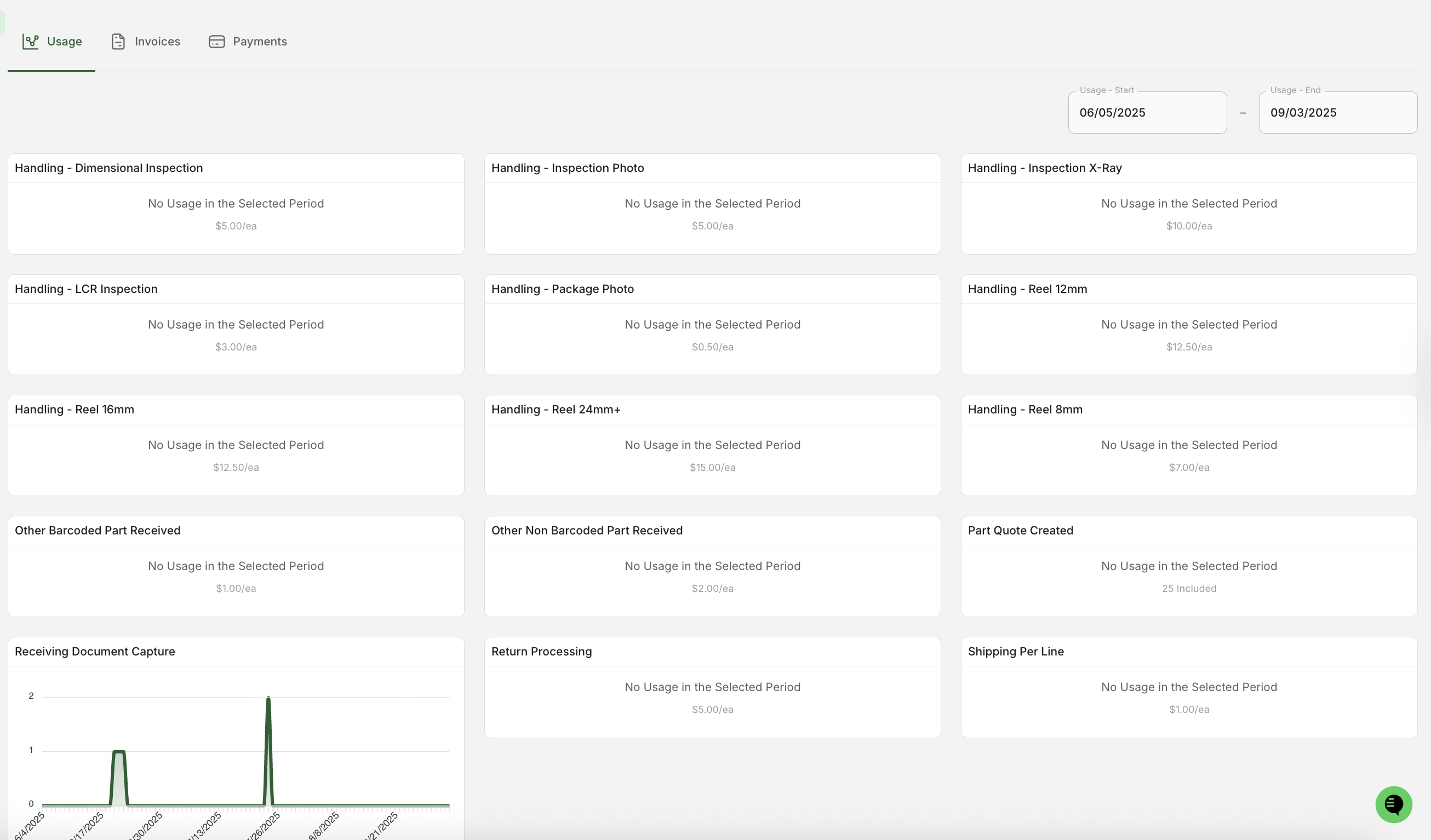
Usage: View your detailed usage for subscription services, storage, and kitting for the current billing period
Invoices: View, download, and pay invoices from Cofactr
Payments: Add and manage payment methods and access sales tax resources and our credit application
For additional information on how to set-up your billing in Cofactr, please visit this article.