Creating Custom Parts
Last updated: May 4, 2026
Creating a Custom Part in Your System
To create a custom part, start by searching for a part in any of the following places:
Under Parts
In any dialog that includes a Part selector such as Create Stock Lot, Add BOM Line, etc
In the Receive view of the Warehouse App
By uploading a BOM with a part that does not match any parts in our database
First, click on "+ New Part."
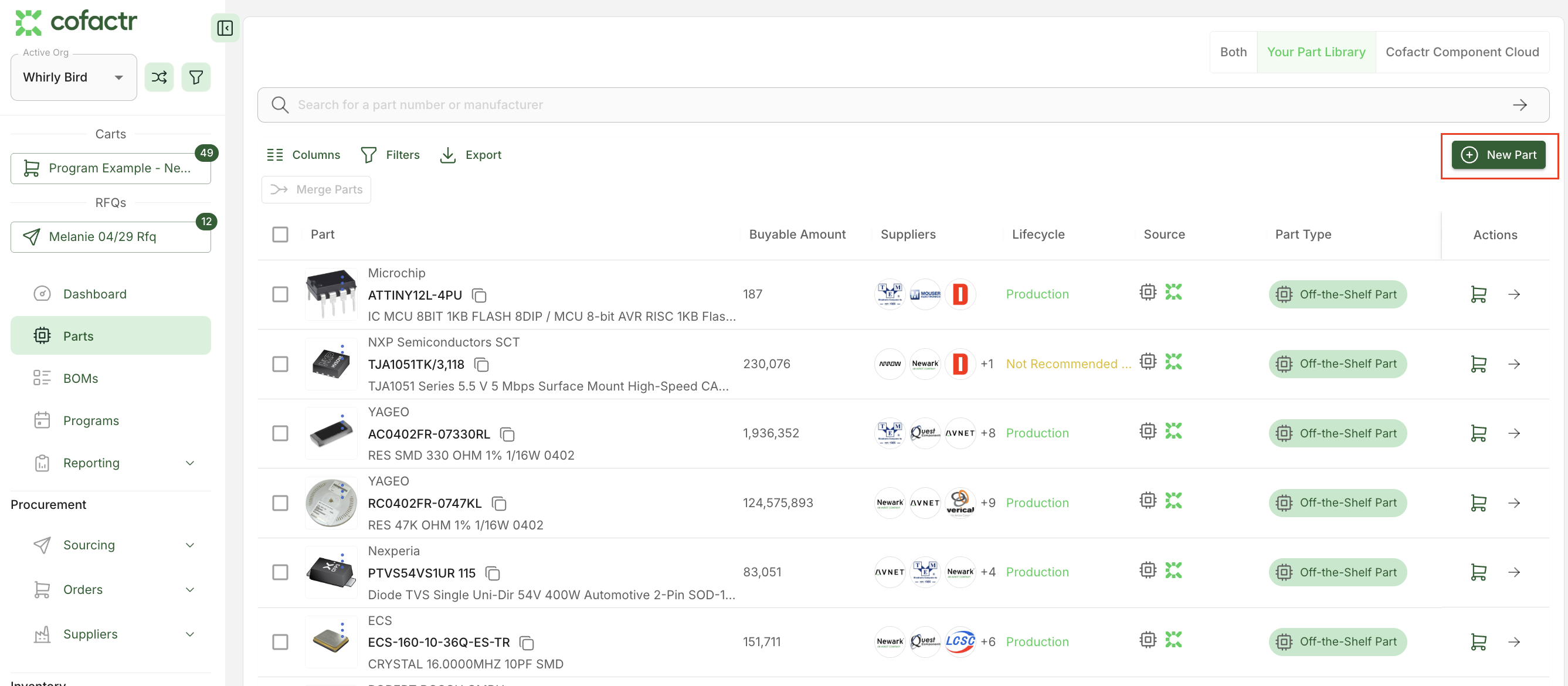
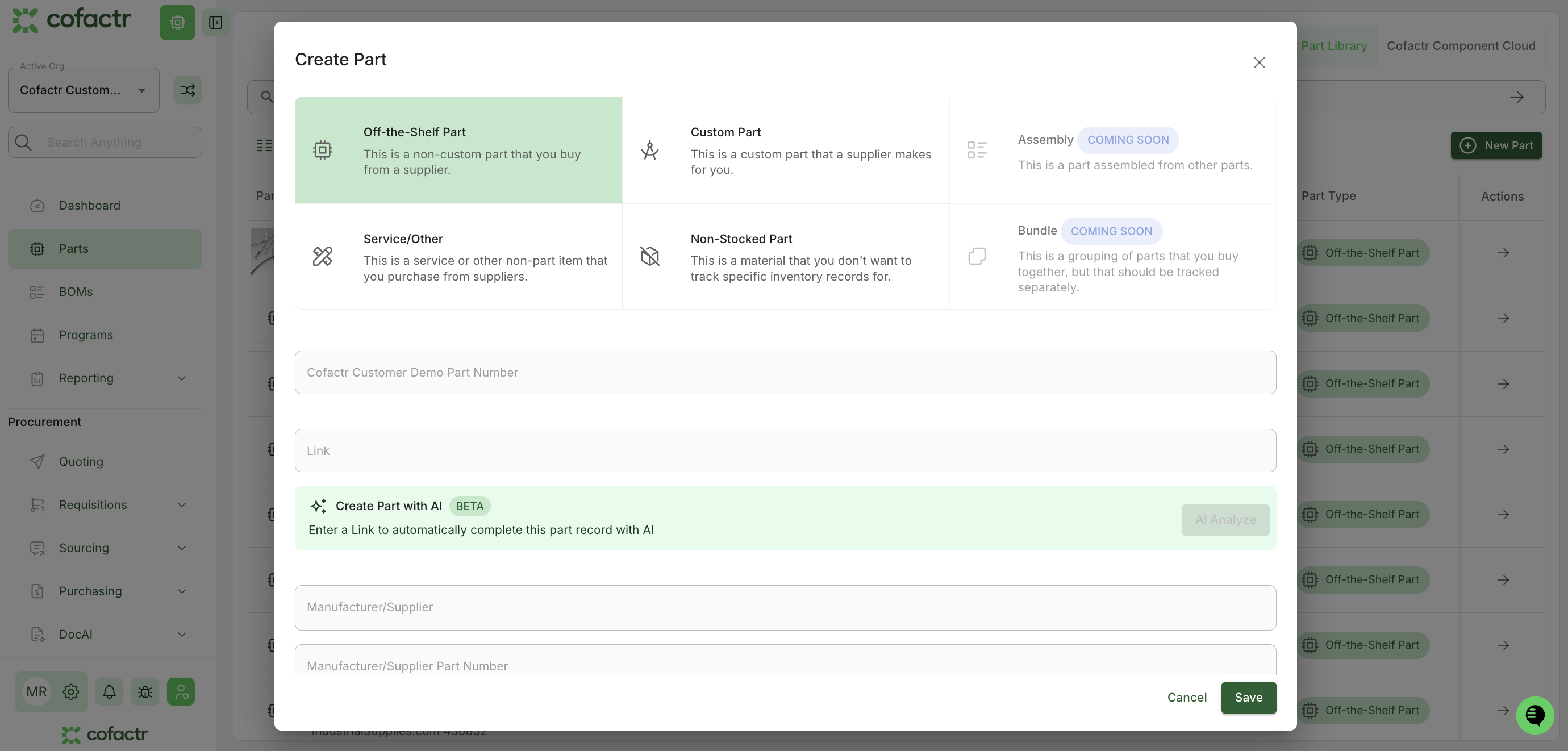
Once you click + New Part, you will be able to fill out details about this part, including if it is an Off-the-Shelf Part, a Custom Part, a Service/Other, or a Non-Stocked Part. Note: Each of these "part" creations has certain minimum requirements. Once you click Save, you will be able to see what those are.
Creating a Custom Part For a Part That is Not Recognized in Your BOM
Every now and then, you might have a part in a BOM that is not recognized right away by Cofactr. This is because although our database of parts is vast, sometimes a part you have in a BOM might be a custom part.
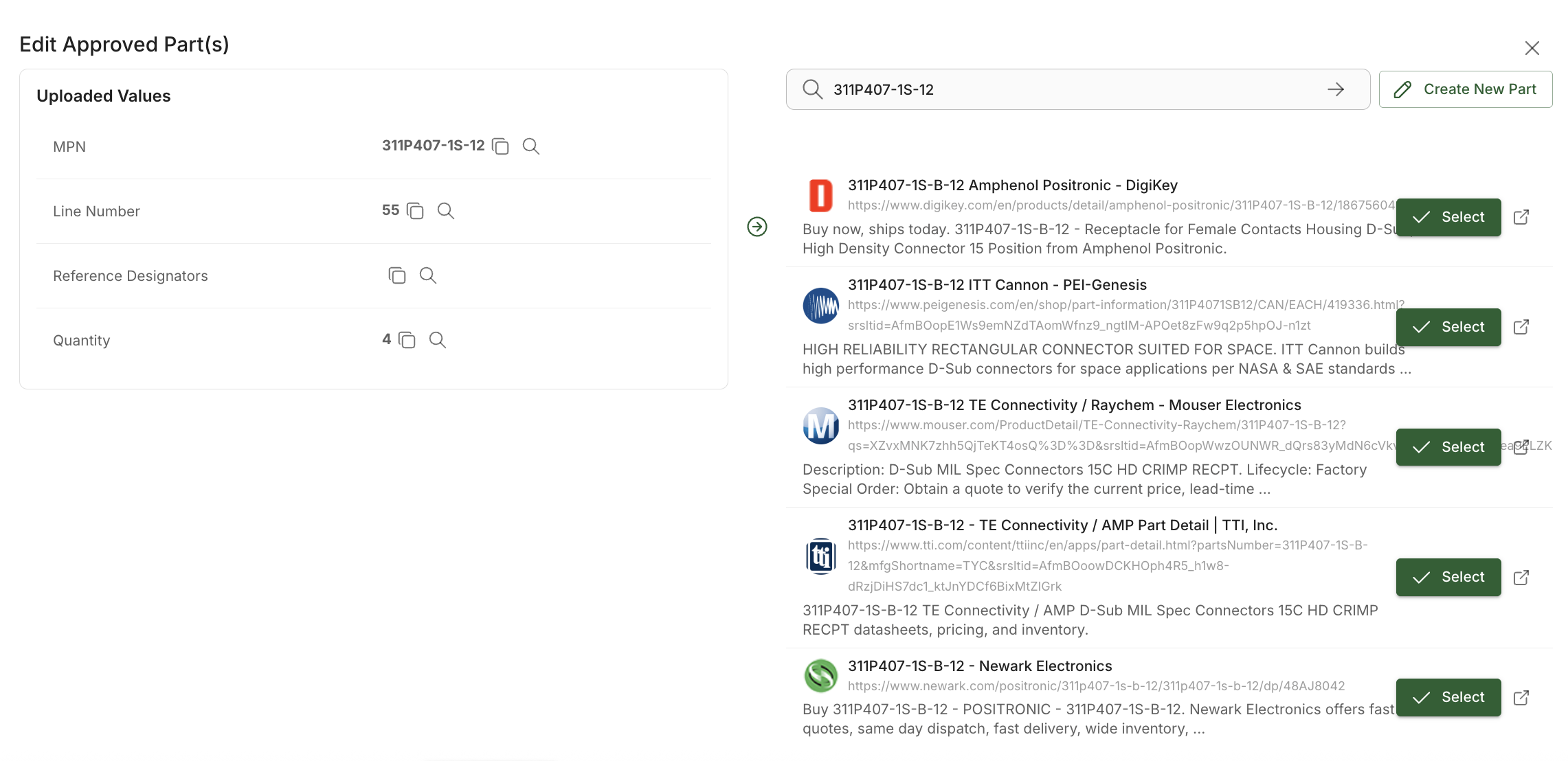
When you upload a BOM with a part that is not recognized, it will show as "No Match," meaning the Cofactr system is unsure of what it is. From here, you can click on the pencil icon to the right of the part to edit the part, or create a new part.

Our data will search the web to find similar PNs, where you can select the link to confirm the part, OR, click Create New Part if this is a custom part.
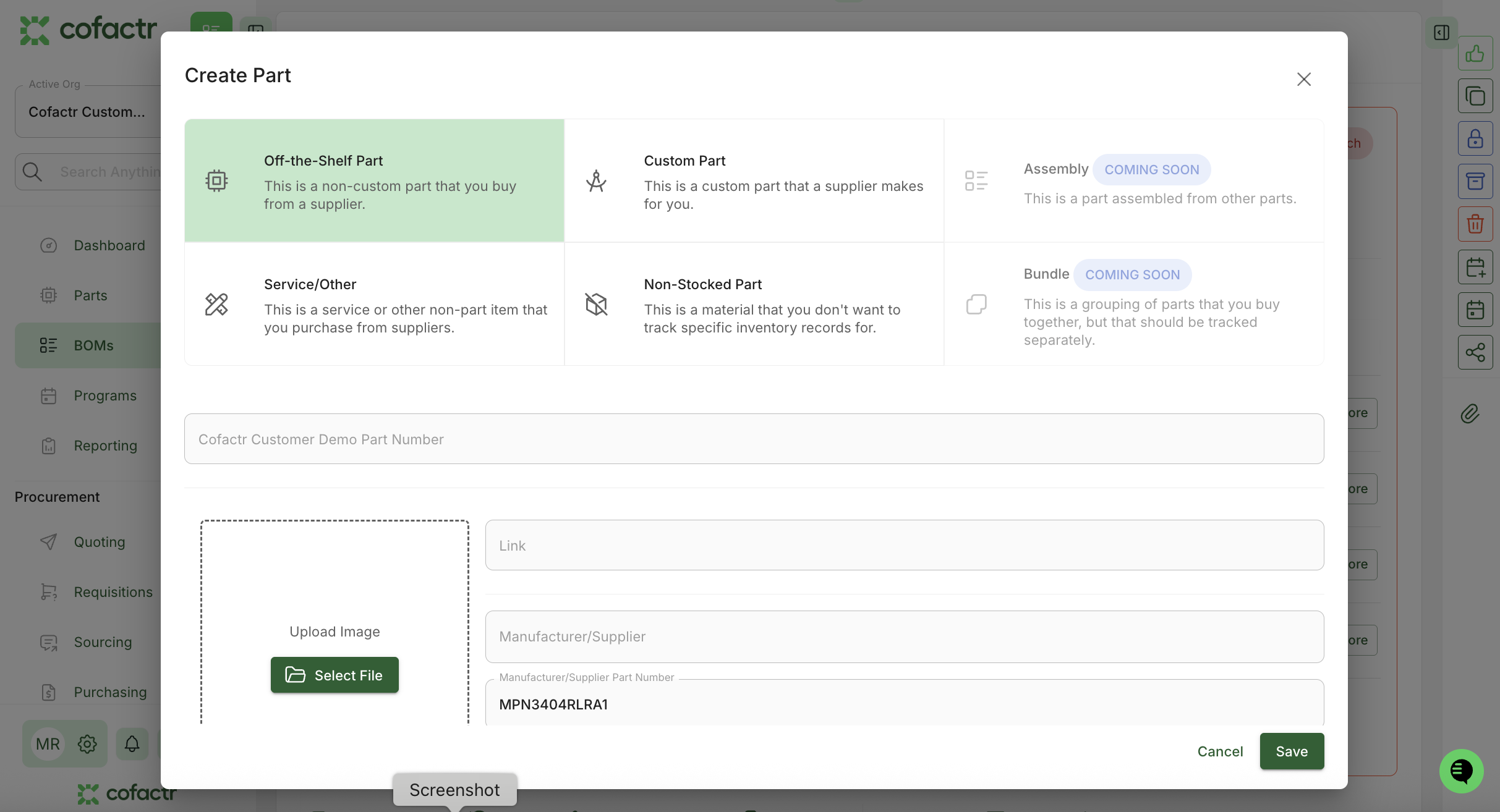
If you are creating a new part, like the example above you will go through the Create Part dialogue to create this part. Once you create a reference for this part, Cofactr will remember this information and the part will not show up as a No Match again.
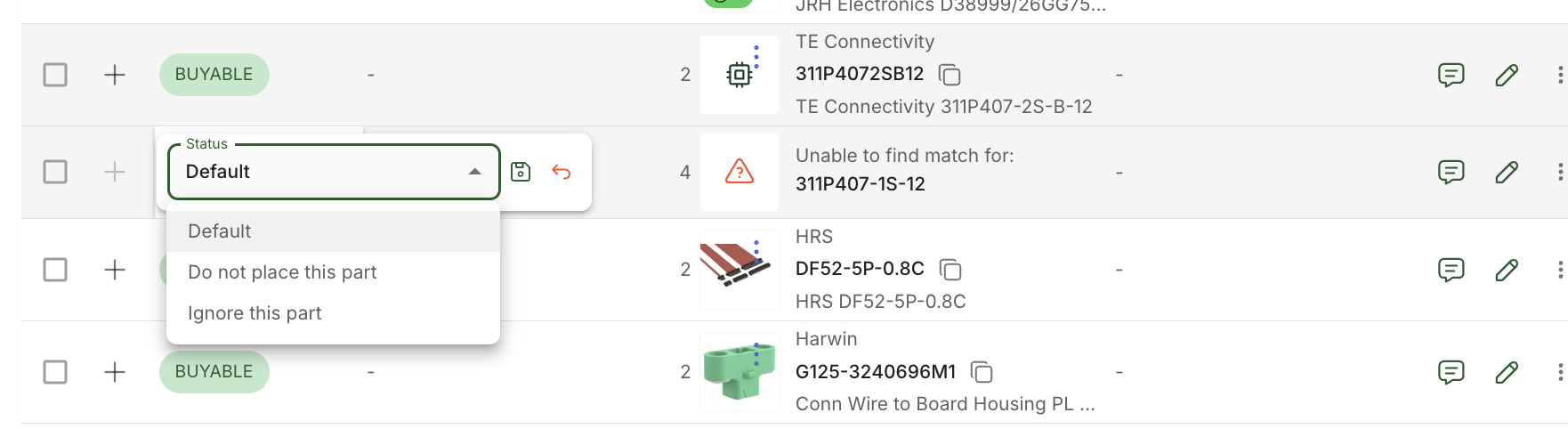
And lastly, if this is a part you choose to not keep in your Cofactr BOM/Program, you can double click the No Match status and change this part to "Do not place this part," or "Ignore this part."
What can custom parts be used for today?
Custom parts can be added to BOMs and part lists
Custom parts can be used to create Stock Lots
Stock Lots of a custom part can be used the same way that all other Stock Lots can be used, including in Kitting & Shipping and Production Runs
RFQs can be created for a custom part. If the part is from a major manufacturer, we will be able to handle these RFQs. If the part is truly custom, like a specific bare board, we may not be able to process that RFQ. If you have questions on this, please reach out to success@cofactr.com, or, use the green chat bubble in the bottom right hand corner of your Cofactr org.
Do I have access to custom parts?
Yes! Custom parts are available to all Cofactr users!
Written by Anthony Blair and Melanie Reeves