How to Create Records with AI
Last updated: September 4, 2025
The "Create with AI" (PDF to Cofactr Record) feature allows you to automatically generate Cofactr records from your existing procurement documents. Simply upload a PDF and let our AI extract and structure the data for you.
Supported Record Types
Requisitions
Quotes
Purchase Orders (POs)
Supplier Bills
Step-by-Step Instructions
Go to the page for the type of record you want to create (Requisitions, Quotes, POs, or Supplier Bills).
Click the "New ____" button in the top right corner of the page.

Upload Your File
You have two options to upload your document: Either drag and drop your file directly onto the page or click the folder icon to browse and select your file
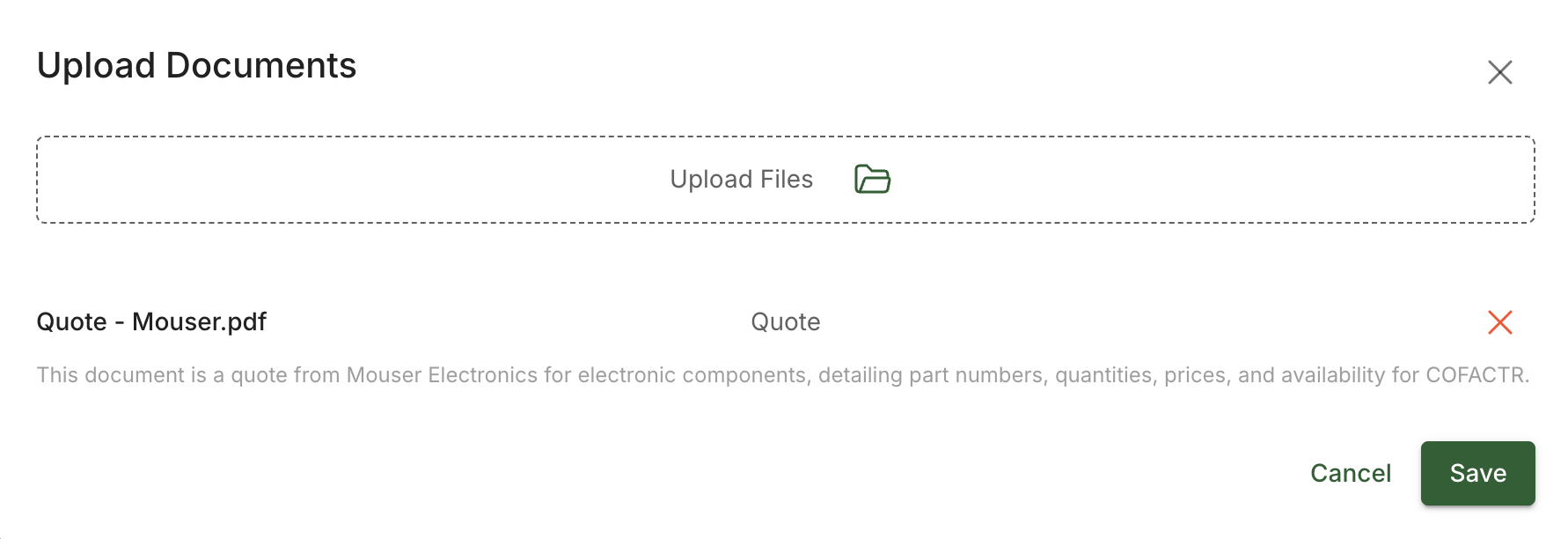
The system will load your file and analyze the file type to ensure compatibility. Once this process is complete, you'll see a "Save" button.
Enable AI Processing
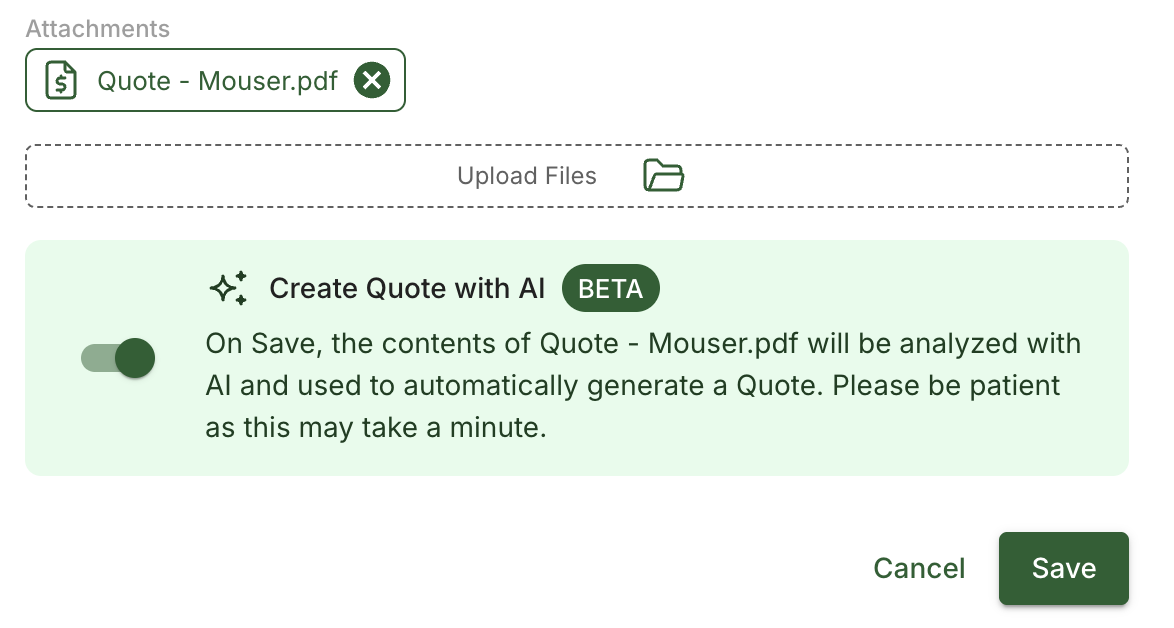
Click Save to proceed
Look for the green "Create with AI" box
Toggle ON the Create with AI option
Complete Required Fields
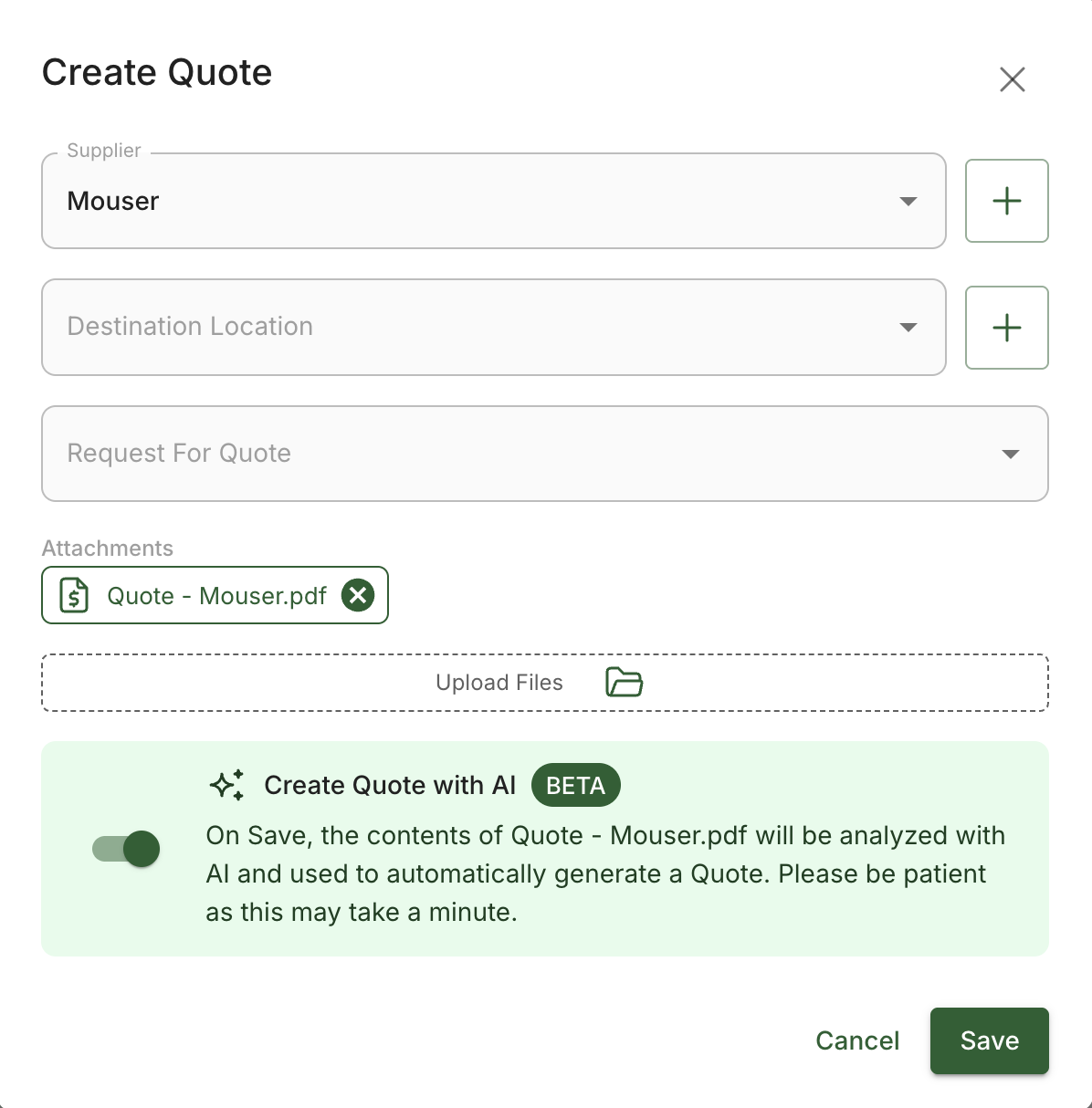
Review the form and ensure all required fields are filled out before proceeding.
Save and Process
Click Save to start the AI analysis. The AI will take anywhere from a few seconds to a few minutes to analyze your document content and create the complete record, depending on the complexity
Tips for Best Results
Ensure your PDF documents are clear and readable
Use high-quality scans or native PDF files when possible
Check that all required fields are completed before saving
Be patient during processing, as complex documents may take longer to analyze
Need more help? Reach out to success@cofactr.com for assistance with Create with AI.