Managing Supplier Preferences: Setting Up Purchase Rules
Last updated: September 15, 2025
Use Purchase Rules in Cofactr to control which suppliers you source from.
What is a Purchase Rule?
A Purchase Rule in Cofactr is a preset grouping of supplier requirements and preferences. You can save one or more Purchase Rules in your account and use them within the Pricing Solver to enforce things like certification requirements, approved-vendor-list, and more.
If you want to change an existing rule, navigate to Suppliers > Purchase Rules to do so.
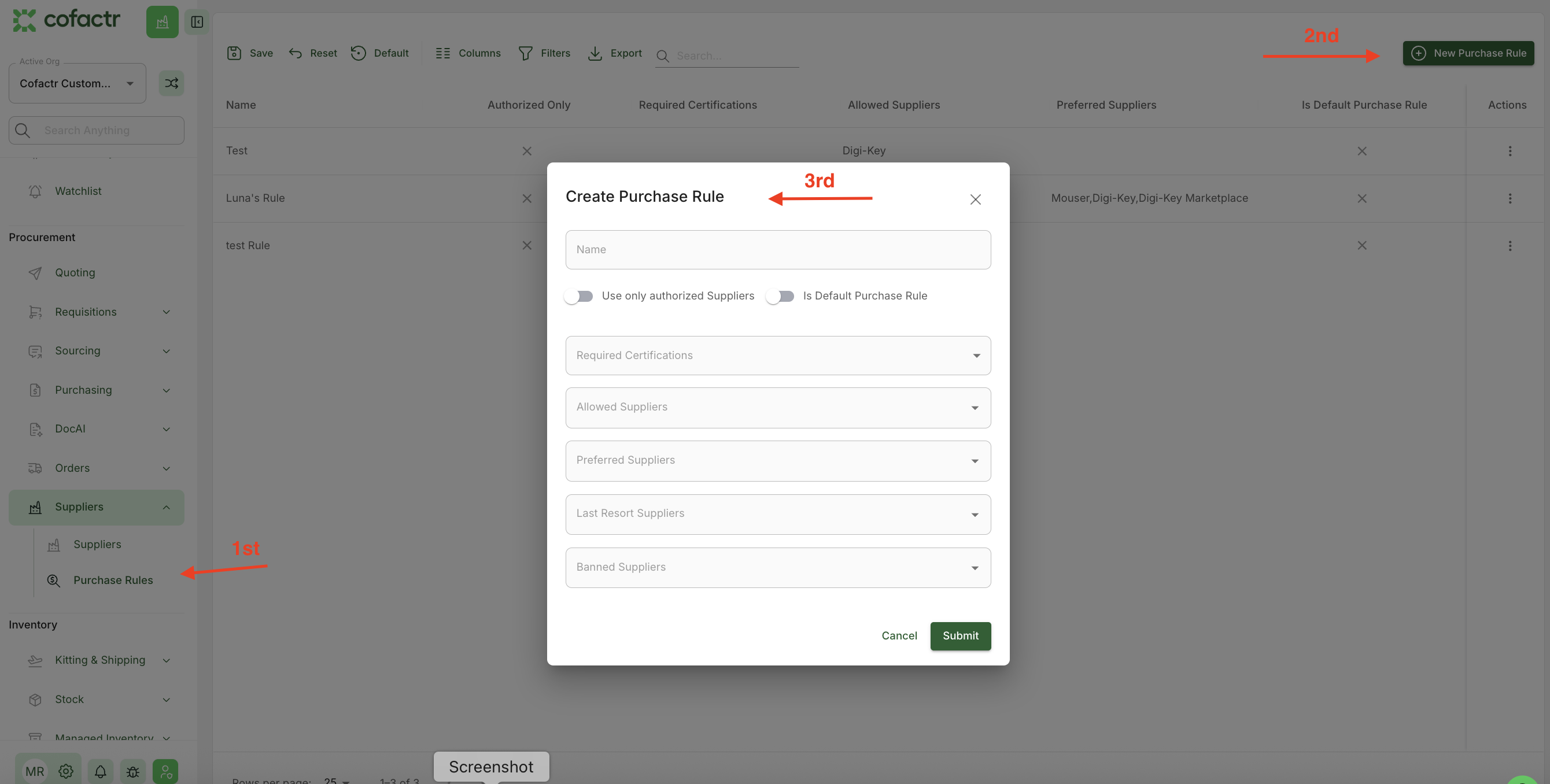
Purchasing Rule Settings
Preferred Suppliers
When optimizing a purchase, if a given part is available from one or more Preferred Suppliers, that part will be purchased from one of the Preferred Suppliers, even if that part is available at a lower cost or with a better lead time from a different supplier. If no Preferred Suppliers are specified, then this will not apply.
Allowed Suppliers
When optimizing a purchase, only Allowed Suppliers will be used. This is a strict rule, so if a part is unavailable from an Allowed Supplier but available from a different supplier, it still will not be included in the optimized purchase. If no Allowed Suppliers are specified, then all suppliers will be allowed subject to the other Purchase Rule settings.
Last Resort Suppliers
When optimizing a purchase, if a given part is only available from a Last Resort Supplier, that part will be purchased from that supplier. If a part is available from any other supplier, even at a higher cost or with a worse lead time, then that other supplier will be used instead of a Last Resort Supplier. If no Last Resort Suppliers are specified, then this will not apply.
Banned Suppliers
When optimizing a purchase, Banned Suppliers will be ignored, even if they are the only source for a given part. If no Banned Suppliers are specified, then all suppliers will be allowed subject to the other Purchase Rule settings.
Authorized Only
When optimizing a purchase, only suppliers that are an Authorized Distributor for a given part will be used, even if that part is only available from a non-authorized distributor.
Required Certifications
When optimizing a purchase, only suppliers that have the specified certifications (AS9120, etc) will be used, even if a given part is only available from a supplier that does not have that certification.
Logic
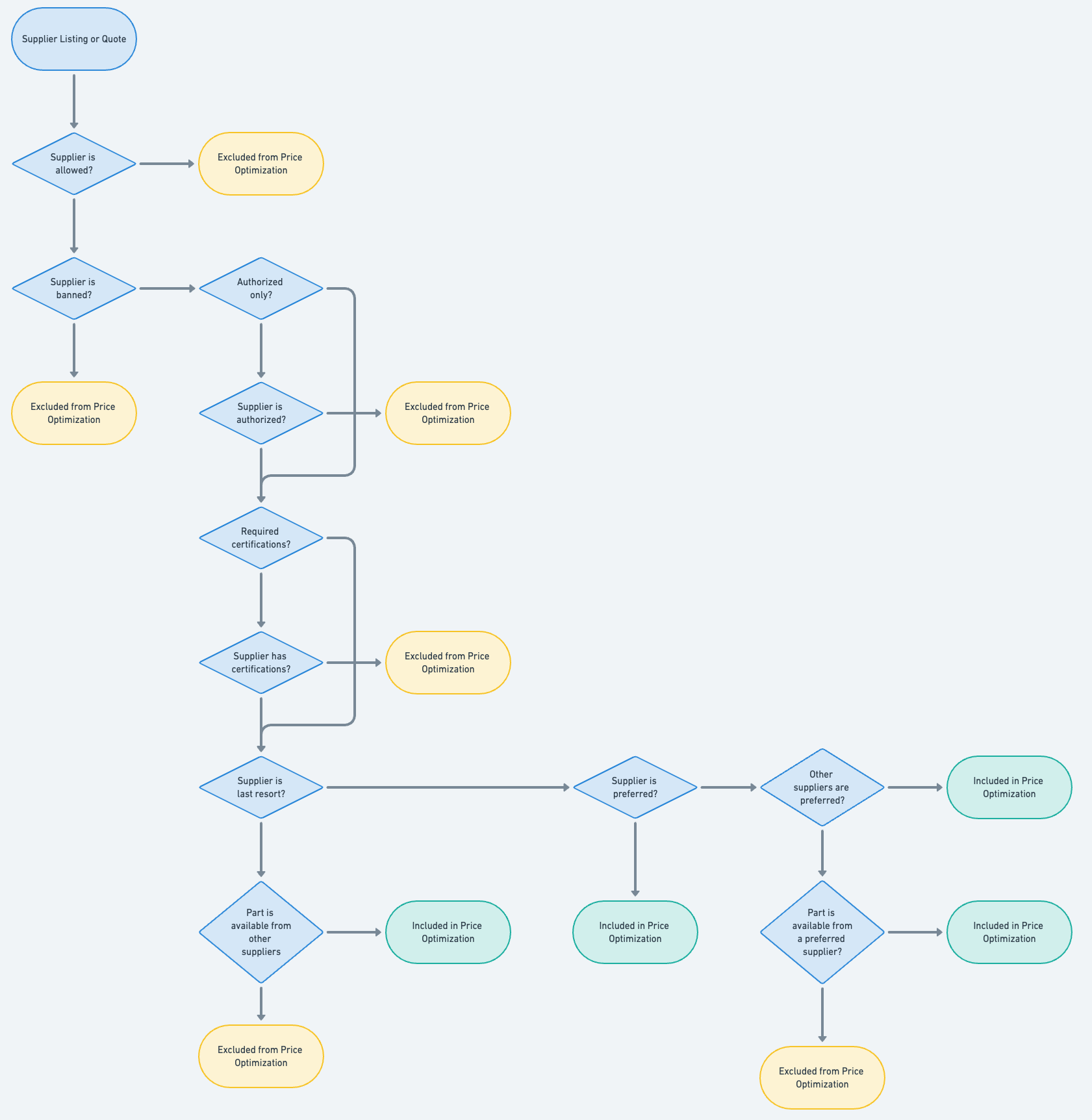
Purchase rules can be set under Suppliers > Purchase Rules, but you are also able to set rules specific to each order you place when you are in the Pricing Solver.
If you are curious about what that looks like in the Pricing Solver, click here to learn more about that workflow and where to make those edits on an order by order basis.
Written by Matthew Haber & Melanie Reeves